Add products to compare
Wishlist
Add products to wishlist
Test and measurement equipment and
automation systems for industrial facilities and CNC machines
Business hours:

Weekdays: 09:00–17:00

Sat, Sun: days off

0
My order
Add products to cart

Operator Panels (HMI)

Sort by:
Display:

Need help choosing an HMI?

Send us your PLC model, preferred screen size, communication protocol and mounting conditions. An engineer will help select a panel and compatible components.

HMI operator panels for industrial machines

An operator panel, or HMI, lets staff view machine status, adjust parameters, select operating modes and see event and alarm messages. It works alongside the controller and other automation devices. For a packaging machine, conveyor or production line, the panel should match the operator's tasks, connection method and installation location.

Which type of panel fits your application?

  • Standard HMI panels are designed for installation in a cabinet door or control console. The standard panel category includes Festo options.
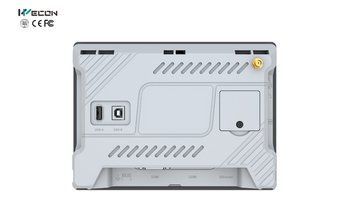
  • WECON panels offer a choice of screens and interfaces for different machines. Network and remote functions depend on the specific version; explore WECON HMI panels.
  • Panels with a built-in PLC combine visualization and control logic in one device. They can suit compact systems when their I/O capacity and processing capability meet the application requirements.
  • IP67 enclosure-mounted panels are intended for installation outside a cabinet where protection of the complete housing is required. Check the rating of the exact model against the operating conditions.

What to check before selecting an HMI

  • Display: screen size, resolution and readability from the operator's position. The number of project screens and the amount of graphics also matter.
  • PLC connection: a physical interface such as Ethernet or RS-485 and a protocol supported by both devices. Matching connectors alone do not establish compatibility.
  • Mounting and protection: panel cutout, connector clearance, temperature, dust, moisture and whether the protection rating applies to the front or the full housing.
  • Project functions: recipes, trends, event logs, user permissions and remote access when required and supported by the selected model.
  • Connection and maintenance: power supply, cable length, compatible cables and mounting accessories.

Selecting the panel as part of a system

To check compatibility, provide the exact HMI and PLC models, required protocol, list of screens and commands, mounting conditions and any remote access requirements. If the system configuration is still open, send a machine description through ASFERO contacts.


Operator panel FAQ

Can an HMI work without a separate PLC?

A standard panel displays data and sends commands to a controller. Panels with a built-in PLC are available for compact systems; suitability depends on the required I/O, control program and interfaces.

Can an HMI and PLC from different manufacturers work together?

Yes, if their interfaces, protocols and communication settings are compatible. Check the exact models of both devices.

How does front-face protection differ from a full IP67 enclosure?

A front-face rating applies to the exposed face after correct installation. An enclosed design provides the stated protection level for the complete housing.

Does every panel support remote access?

No. Network capabilities and the method of remote connection depend on the product series, specific version and network design.

What information is needed for selection?

Provide the PLC model, communication port and protocol, preferred screen size, number of screens, mounting location, environmental conditions and required project functions.